
Offers
Ritzy offers
Offers and promo codes change often, so we show them where you book: in the Ritzy app. Open the app to see what’s live for your account and city before you confirm your ride.
Save on your next ride
Where offers appear in the Ritzy app and how to apply one.
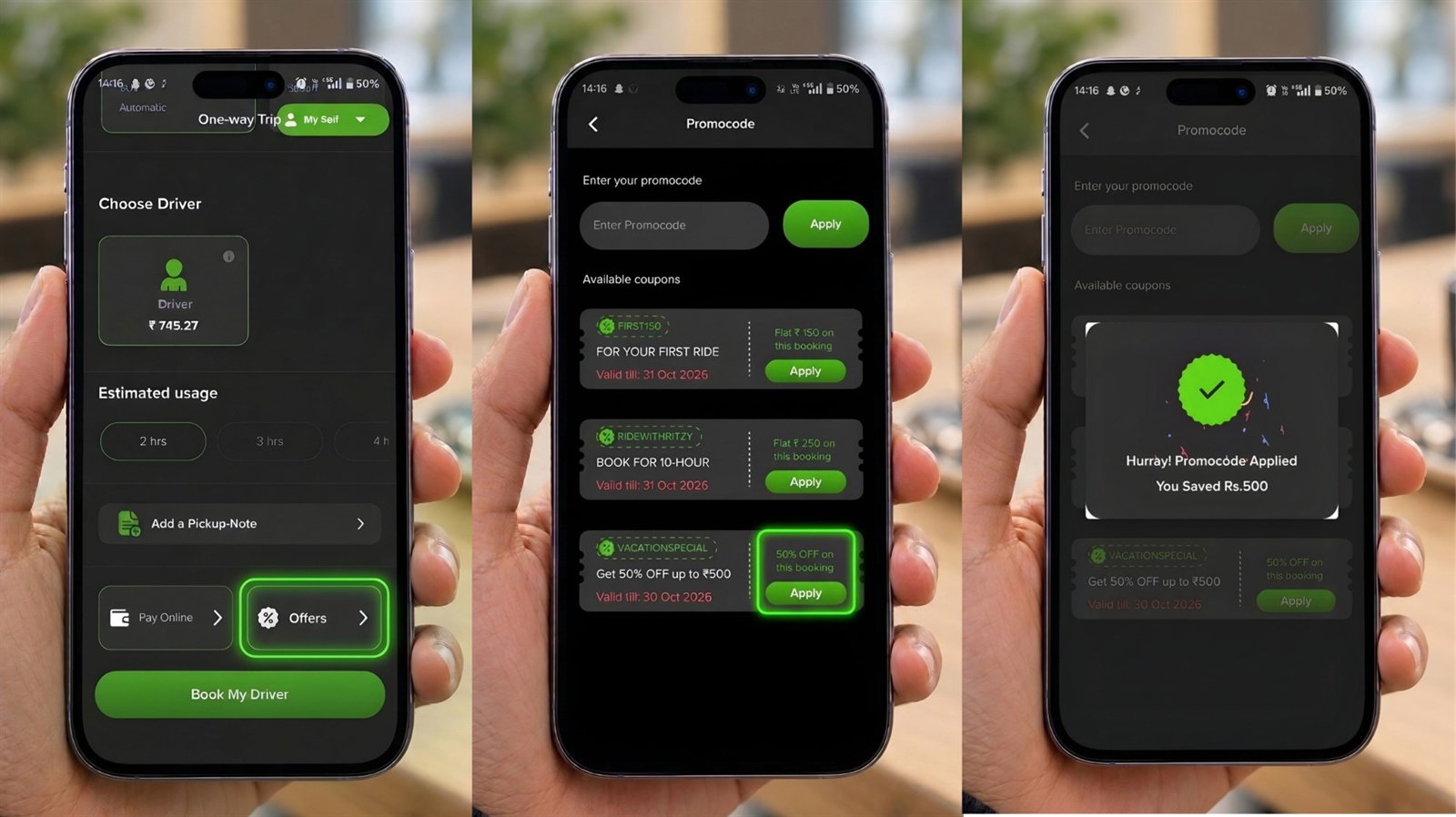
How to use an offer
Open the Ritzy app
Sign in with your mobile number.
Plan your ride
Enter your trip and pick a ride option.
Apply the offer
Available offers appear before you confirm the booking.
Ride & save
The discount is reflected in your fare.
Good to know
- Offers are subject to their own terms, validity and city availability.
- One offer applies per booking unless stated otherwise.
- Ritzy may change or withdraw an offer at any time, as described in the User Terms.
Book a driver
Sign in once. Book in seconds.
Sign in once with your mobile number, then book in three short steps: trip, estimate & amount, confirm.
- A verified driver at your door in 30 minutes
- See the estimated amount before you confirm
- Monthly drivers? Enquire without an account
Your Ritzy account
Sign in to book a driverYou're signed in
One account for booking, tracking and 24/7 support — sign in with your mobile number and a WhatsApp code.Book a verified driver for your own car — at your door in 30 minutes.
- See the estimated amount before you confirm
- Track your driver live, with SOS and trip sharing
Get a driver in 30 minutes.
Book a driver right here, or download the Ritzy app for scheduled rides, round trips and outstation journeys.